
An Amazon listing optimization checklist is a step-by-step audit of every part of your product page: keywords, title, images, bullets, description, A+ Content and backend search terms. Work through it in order, because keywords drive everything else. Use it on a new listing before launch, and again on your top products every month or two.
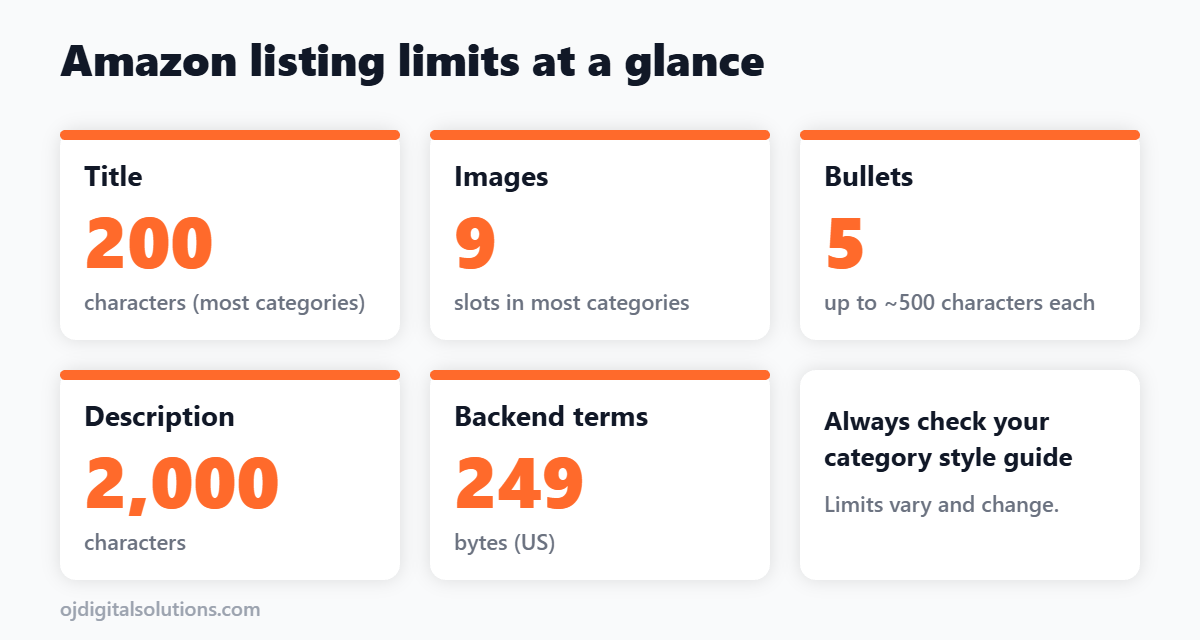
Amazon listing limits at a glance
Limits change by category and over time, so check your category style guide in Seller Central. These are the common ones.
| Field | Typical limit | Note |
|---|---|---|
| Title | Up to 200 characters in most categories | Mobile often shows only the first 70 to 80 |
| Images | Up to 9 slots in most categories | Main image on pure white, see our main image rules |
| Bullet points | 5 bullets, up to about 500 characters each | Lead each with a benefit |
| Description | Up to 2,000 characters | Replaced on the page by A+ Content if you have it |
| Backend search terms | About 249 bytes in the US | Bytes, not characters. Do not repeat front-end words |
The checklist
1. Keyword research
- Build one master list of 20 to 50 relevant search terms, from tools and from competitor listings. See our product research tools list.
- Pick one primary keyword and a handful of secondary ones.
- Mark which terms go in the title, which in bullets, which in the backend.
2. Title
- Primary keyword and brand appear near the start.
- Reads like a human wrote it, not a keyword dump.
- Includes the one detail that separates you: size, count, material or model.
- No promotional phrases, no competitor names, no repeated words.
3. Images
- Main image passes every rule: pure white background, product fills the frame, no text.
- Uses all available slots in a planned order. Our infographic design guide shows a slot order that works.
- At least one image with dimensions or scale, and one lifestyle image.
- Every image readable on a phone.
4. Bullet points
- All five used, each starting with a short benefit.
- One idea per bullet, in plain language.
- Secondary keywords included where they fit naturally.
- Answers the questions buyers ask in reviews and Q&A.
5. Description and A+ Content
- Description adds new information instead of repeating the bullets.
- A+ Content published if you are brand registered. Start with our A+ Content guide.
- Design matches the main images and brand style.
6. Backend search terms
- Stay under about 249 bytes, and count bytes, not characters.
- Only terms that do not already appear in the title, bullets or description.
- Add synonyms, alternate spellings and related uses.
- No commas needed, no brand names, no competitor names.
7. Price, reviews and offer
- Price is in line with similar products.
- Review rating and count are healthy, and common complaints are fixed or addressed in the listing.
- Fulfilment and delivery promise are competitive.
After you publish
- Change one major thing at a time so you know what worked.
- Wait two to four weeks before judging the result.
- Track sessions, conversion rate and rank for your main keyword.
- Revisit your keywords and images every month or two.
Do it yourself or get help?
For a simple product, this checklist is enough. For a bigger product, the design side (images and A+ Content) is often where the biggest conversion gains come from. See our listing design price guide, or check our Amazon design services. More tools are listed in our Amazon seller tools post.
Frequently asked questions
What is Amazon listing optimization?
It is the work of improving your title, images, bullets, description, backend search terms and A+ Content so your product ranks for the right searches and converts more of the shoppers who find it.
How long should an Amazon product title be?
Most categories allow up to 200 characters including spaces, but many shoppers only see the first 70 to 80 characters on mobile. Put the brand, main keyword and key differentiator at the start.
What is the limit for Amazon backend search terms?
In the US the limit is about 249 bytes, not characters. Going over can cause the whole field to be ignored, so stay safely under it and do not repeat words from your title or bullets.
How many bullet points should I use?
Use all five. Lead each one with a short benefit, then add the detail. Each bullet can be long, but short and scannable ones convert better.
How often should I update my listing?
Review your top products every month or two, and test one major change at a time. Give each change two to four weeks before judging the result.
Do I need to hire someone for listing optimization?
Not for a simple product. Follow the checklist and test. For big sellers, a specialist who handles keywords, images and A+ together can save a lot of trial and error.
Bottom line
Start with keywords, write a clear title, then make the images and bullets do the selling. Fill the backend, publish your A+ Content, and test one change at a time. A listing is never finished, so put a monthly review on your calendar.